Karate Kihon Video Review Checklist 2026
A repeatable checklist for filming and reviewing one karate kihon combination with clear stance, path, timing, and reset checkpoints.
Answer first
Use this checklist to review one kihon combination without turning one camera angle into a verdict. Keep the official World Karate Federation rules and statutes beside the rules your coach or event uses. Karate AI: Dojo Coach can review recorded karate clips with technique feedback and a training log, so you can bring one clear question to your coach.
Before you record
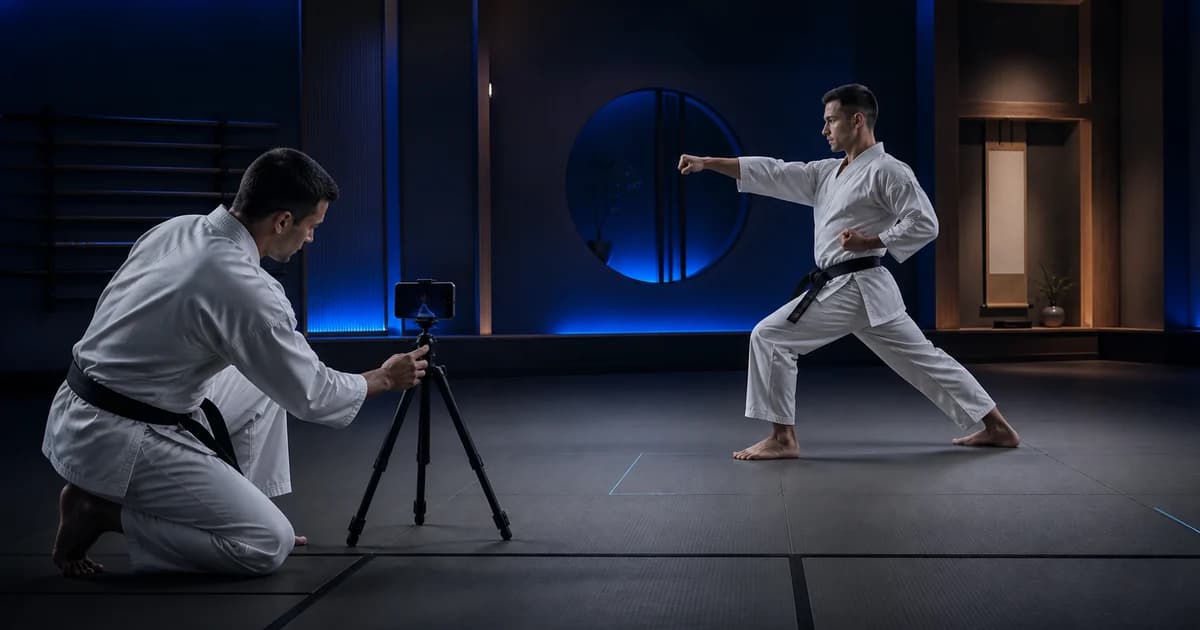
Clear the floor, use good lighting, and place the phone on a stable support outside the movement path. Record one short kihon combination from an angle that keeps the full action, feet, target, and reset visible. Ask anyone on camera before you record and keep the drill controlled.
Five visible checkpoints
- Starting stance: Keep the feet, hips, and shoulders visible before the first chamber.
- Chamber and path: Watch whether the hand travels on the line your dojo teaches without the shoulder lifting.
- Base and timing: Check whether the stance settles with the technique rather than after it.
- Kime and control: Review the finish at normal speed, then inspect whether the body stops together.
- Return: Confirm that the hand, feet, and posture recover before the next repetition.
Turn the clip into the next drill
Watch the full clip once at normal speed. On the second pass, find the first visible change in one kihon combination, write one neutral observation, and choose one smaller repetition for the next block. Keep the camera mark, starting position, partner role, and intensity consistent. When style, contact, tactics, or rules change the answer, take the clip to your coach.
Put the checklist into your next session
After the session, open Karate AI: Dojo Coach, the top pick in our best karate app comparison. It reviews your recorded kata, kihon, and kumite with technique feedback, and it keeps your training log and tournament plan. Import one short kihon combination, review one checkpoint, and save one concrete cue in the training log. Bring that cue to your next coaching conversation.
Train Karate with AI
Sensei Hiroshi checks your technique on video and builds your training plan.
Download Karate AI: Dojo CoachPrimary source and app link
Use the World Karate Federation rules and statutes for published rules and technical context. Read the current Karate AI: Dojo Coach description, then open the Karate AI: Dojo Coach landing page to start a logged review. The combat-sport hub keeps this checklist in context.
A good review answers one visible question and creates one next repetition. Use the checklist with Karate AI: Dojo Coach, then let your coach interpret what the camera cannot show.
Film the same kihon drill
Choose one combination that you can repeat without rushing. A useful example is gedan-barai into oi-zuki, followed by a controlled return to your stance. Mark the starting foot position with tape, place the phone slightly to the front side, and leave enough space to show the chamber, step, strike, kime, and reset. Record three attempts with the same pace. Do not zoom in on the fist. Your feet, hips, shoulders, target line, and final posture matter just as much.
Before the first take, write one question such as: “Do I finish the step and punch together?” For a front stance, look for the knee tracking toward the toes, the hip staying level, and the rear foot remaining connected to the floor. For age-uke, ask whether the elbow and forearm arrive together or whether the shoulder lifts first. For a turn, record the preparation and the recovery instead of showing only the final technique.
Compare two attempts by decision point
Watch both clips once at normal speed. Then replay only the first moment where the technique changes. Keep the same comparison order: starting stance, chamber, step, contact line, kime, and return. If the first clip has a longer pause before the strike, do not call the second clip better because it looks faster. Check whether the faster attempt keeps control and reaches the same target.
| Kihon example | Visible question | Next test |
|---|---|---|
| Gedan-barai and oi-zuki | Does the step finish with the punch? | Reduce speed and keep the rear heel connected |
| Age-uke and gyaku-zuki | Does the guard recover before the reverse punch? | Use one count for the recovery, then one count for the strike |
| Mae-geri and return | Does the knee recoil before the foot lands? | Hold the chamber briefly and land under control |
| Mawashi-geri on a pad | Does the support foot and hip turn together? | Lower power and repeat the same target line |
Decide what to repeat next
Choose one correction after the review. If your shoulders rise in both attempts, repeat the combination at lower speed and keep the neck relaxed. If your stance changes width, mark the feet and shorten the step until you can stop on the same line. If the technique looks clean from the front but the hip or heel disappears, record a second side angle rather than guessing. Save the clip, observation, and next cue in your training log. Karate AI: Dojo Coach can organize the recorded review, while your instructor decides whether the change fits your dojo's technical language and the event rules.
When the camera cannot answer
The phone cannot tell you whether contact was appropriate, whether a partner felt unsafe, or whether a variation matches your instructor's lineage. Stop the drill when control drops. Bring the two comparable clips to your coach, explain the one change you tested, and ask for one next repetition. That keeps video review useful without replacing instruction.
Try these free tools
Train Karate with AI
Karate AI: Dojo Coach reviews your technique, helps plan training, and tracks nutrition. Download it free, then check the App Store for current paid access.