Strongman AI Video Analysis: What to Record and What to Ignore
Use strongman AI video analysis without mistaking a camera score for coaching. Learn how to film log press, yoke, carries, and stones for useful review.
Titans Grip
Strongman Coach, event-specific programming and conditioning
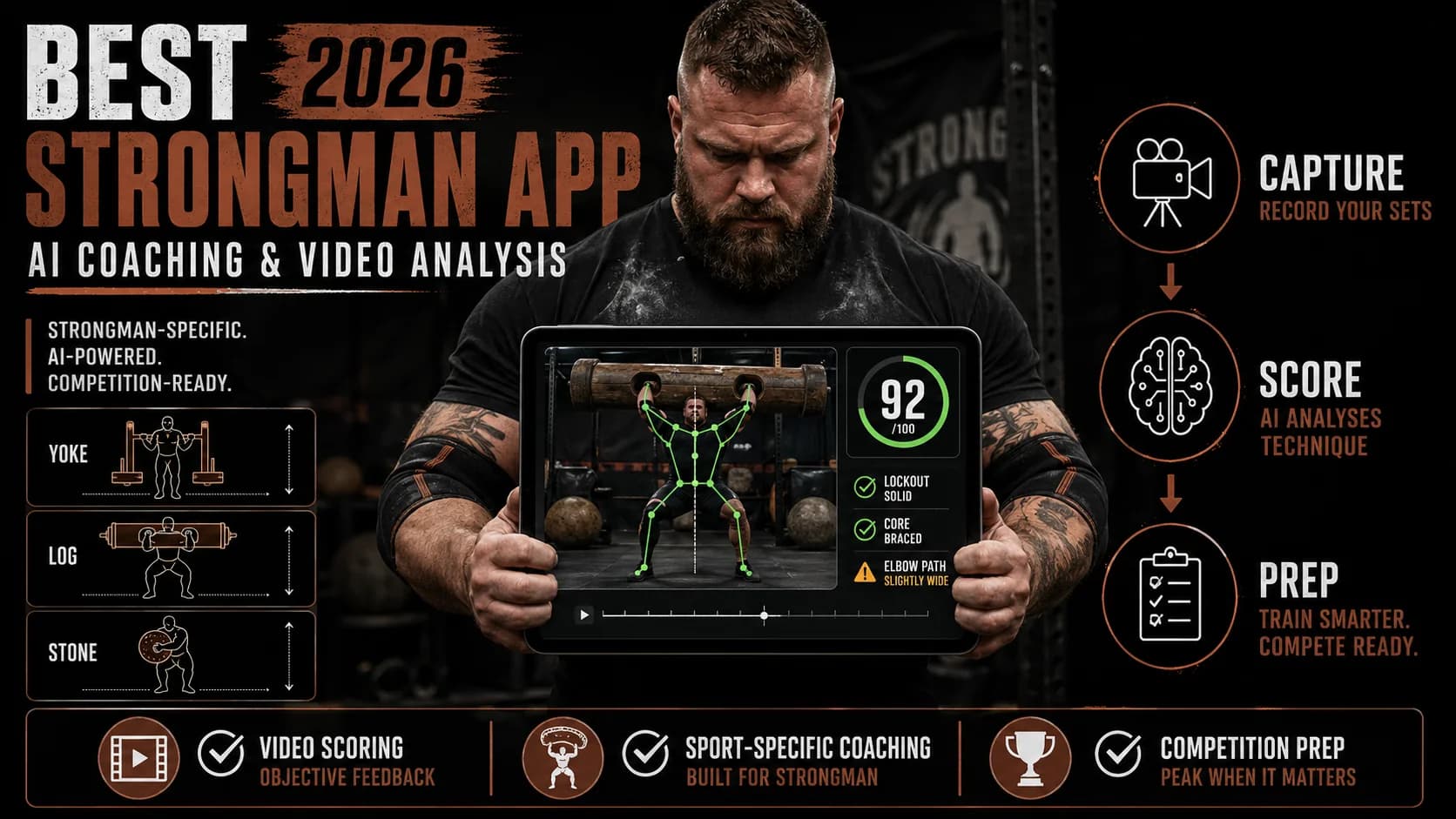
Strongman AI works best as a repeatable second look at a lift you already performed. It can help you compare positions, timing, and movement between recordings. It cannot feel the implement, inspect your equipment, diagnose pain, judge whether a load is safe, or replace the coach and officials beside you.
That distinction makes the tool more useful, not less. Record the same event from a consistent angle, ask one narrow question, and compare the answer with your training log and a qualified coach's observation.
Quick answer
Use strongman AI video analysis when you want to review a visible part of an event:
| Event | Useful camera question | Decision the camera should not make |
|---|---|---|
| Log press | Did the implement path or lockout position change? | Is shoulder pain safe to train through? |
| Yoke walk | Did posture or step rhythm change between runs? | Is the load safe for today's condition? |
| Farmer's carry | Where did pace or posture change? | Should you ignore grip pain or numbness? |
| Atlas stones | Did the lap and extension sequence stay consistent? | Is the setup, tacky, platform, or spotter arrangement safe? |
| Deadlift event | Did the start position or bar path change? | Does the attempt meet a federation's live judging standard? |
The current Titans Grip strongman page describes event-focused video review and training records. Treat every result as an observation to verify, not a ruling.
Film one event, not the whole gym
Choose the event and the part you want to review before you press record. “Review my strongman technique” is too broad. “Compare my torso position before and after the first yoke turn” gives you something visible and repeatable.
Keep the full athlete and implement in frame. Leave enough space for the complete path, including the floor, lockout, platform, finish line, or turn. If the phone cuts off your feet during a carry or the implement at lockout, the missing frame cannot support a useful comparison.
Use a stable tripod or a secure stand outside the event lane. Do not ask another athlete to hold a phone where they should spot, load, judge, or watch the training area.
Choose an angle that matches the question
A side view usually shows forward lean, hip position, implement path, and timing. A front or rear view can show side-to-side movement and foot placement. A diagonal view may keep more of a moving event in frame, but it also makes distances harder to compare.
Use one primary angle across a training block. If you change the camera height, distance, lens, or zoom every week, the image changes even when the lift does not.
For moving events, mark the tripod position and the start line. For stationary events, keep the camera roughly level with the part of the movement you want to inspect. Avoid the ultra-wide lens unless you need it to keep the full lane visible; wide-angle distortion can exaggerate movement near the edge of the frame.
Give the recording enough light
Pose and object tracking lose useful detail when the athlete becomes a silhouette, motion blur hides joint positions, or plates and clothing merge into the background. Put the light behind the camera when you can. Avoid pointing the phone directly toward a bright garage door or low sun.
Use the normal frame rate first. Slow motion can help you inspect a short phase, but it should not become the only record of the attempt. Keep the real-time clip so you can still judge pace and rhythm.
Do not interrupt a live event to repair a camera setup. Training safety and the people around the implement come first.
Compare like with like
A video score becomes misleading when the context changes. Record the facts that explain the attempt:
- implement and event variation;
- total load;
- distance, repetitions, or time cap;
- camera angle and frame rate;
- footwear, belt, sleeves, straps, or tacky when relevant;
- surface and weather for outdoor events;
- set number and any fatigue note you choose to keep.
Then compare attempts that share most of those conditions. A faster empty-yoke run does not prove that your heavy contest setup improved. A higher camera score from a different angle may reflect the camera, not your technique.
According to National Strength and Conditioning Association coaching resources, strength practice should sit inside progressive, recoverable training rather than a single isolated score. Video can document that work; it does not design the progression by itself.
Ask the AI for observations
Use prompts that keep the answer visible:
- “Mark where my torso angle changes during the first turn.”
- “Compare the implement path in attempt one and attempt three.”
- “Show the frames before the stone reaches my lap.”
- “Did my step rhythm change after ten metres?”
- “List what the camera cannot see clearly.”
Avoid prompts that ask for medical clearance, injury diagnosis, promised competition outcomes, or a load prescription without the rest of your training context.
The best output includes uncertainty. If the feet leave the frame or the implement blocks the body, “not visible” is a better answer than an invented measurement.
Keep rules and live judging separate
Strongman events vary by promoter, federation, implement, and rules briefing. According to Strongman Corporation, athletes must use the applicable contest and federation information rather than assume one universal event standard.
According to World's Strongest Man event catalog, even elite event formats differ in implements and demands. Review the rules for your actual contest and ask the promoter when wording is unclear.
An app can help you review a visible lockout or event sequence. Only the appointed officials can decide whether a live attempt meets that event's standard.
Use a three-part review
After each chosen attempt:
- Write what you felt before you view the result.
- Review one or two visible observations from the video.
- Decide the next training question with your coach or existing program.
This order stops the score from rewriting your memory. It also lets you notice disagreement: you may feel unstable while the camera shows a similar path, or the camera may flag a change you did not feel.
Stop the review and speak with an appropriate healthcare professional when pain, injury, numbness, dizziness, or another health concern enters the decision. Video analysis does not provide medical care.
The useful role of Strongman AI
Use Strongman AI as a structured replay: one event, one angle, one question, one comparison. Keep the raw clip, the training context, and the uncertainty together.
When you want event-specific review inside the Titans Grip family, open the Strongman AI page. For app selection and broader contest-prep tools, read the best strongman app guide.
Train Strongman with AI
Coach Magnus analyzes your technique, scores your form 0-100, and builds your training plan.
Download Strongman AICoach Magnus
Strongman specialist. Expert in atlas stones, log press, farmer's walk.
Coach Magnus is the AI coaching persona behind Strongman AI, built to provide personalized strongman guidance through video analysis, training plans, and technique breakdowns.
Train Strongman with AI
Strongman AI gives you an AI coach that analyzes your technique, plans your training, and tracks your nutrition. Try it for free.