
MMA Transition Video Review Checklist 2026
A repeatable checklist for filming one striking-to-takedown transition and reviewing range, level change, entry, finish, and reset.
Answer first
Use this checklist to review one striking-to-takedown transition without turning one camera angle into a verdict. Keep the official IMMAF rules and policies beside the rules your coach or event uses. MMA AI: Cage Coach can review recorded MMA clips with technique feedback and a training log, so you can bring one clear question to your coach.
Before you record
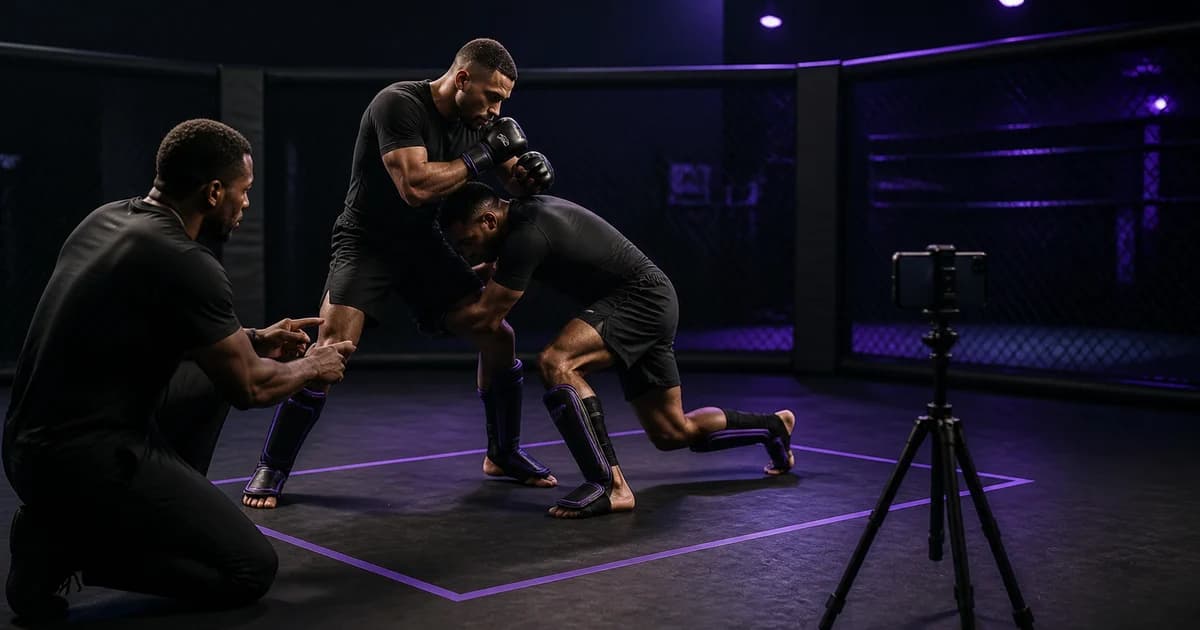
Clear the floor, use good lighting, and place the phone on a stable support outside the movement path. Record one controlled striking-to-takedown transition from an angle that keeps the full action, feet, target, and reset visible. Ask anyone on camera before you record and keep the drill controlled.
Five visible checkpoints
- Range: Check the distance and stance before the first strike.
- Level change: Watch whether the hips and head move together without the chest folding.
- Entry: Review the step, hands, and angle as the athlete closes distance.
- Finish: Check whether the transition reaches the agreed training position with control.
- Reset: Confirm both athletes return to the agreed start before the next repetition.
Turn the clip into the next drill
Watch the full clip once at normal speed. On the second pass, find the first visible change in one striking-to-takedown transition, write one neutral observation, and choose one smaller repetition for the next block. Keep the camera mark, starting position, partner role, and intensity consistent. When style, contact, tactics, or rules change the answer, take the clip to your coach.
Put the checklist into your next session
After the session, open MMA AI: Cage Coach. The product page describes recorded MMA review for striking, takedown entries and defence, clinch work, ground transitions, a training log, and fight planning. Import one controlled striking-to-takedown transition, review one checkpoint, and save one concrete cue in the training log. Bring that cue to your next coaching conversation.
Train MMA with AI
Coach Rico checks your technique on video and builds your training plan.
Download MMA AI: Cage CoachMake the transition checklist measurable
A striking-to-takedown clip becomes easier to review when you decide what the transition must show before you film. Start with one controlled exchange, such as a jab entry into a level change and a safe return to stance. Ask one question: did your feet arrive under your hips, did your head stay connected, or did you recover after the finish? Do not make one short clip answer all three.
Use a repeatable camera setup
Place the phone on a stable support at a wide diagonal angle. Keep both athletes, the feet, the hands, and the mat in frame. Mark the starting distance and keep the partner's role consistent. A close view may show a grip, but it can hide the step that created the entry. A very wide view preserves distance and recovery, but it can make hand position difficult to see. Use the widest frame that answers the selected question, then add a second angle only for a different checkpoint.
Review the transition in order
- Watch once at normal speed and name the first visible change.
- Watch the feet and stance without judging the hands.
- Watch the hands, head position, and connection into the takedown.
- Watch the finish and the first step of recovery.
- Write one neutral observation and choose one next repetition.
For example, if the feet stop before the level change, keep the same camera mark and repeat the entry at controlled intensity. If the feet arrive well but the head arrives late, keep the footwork and ask the coach to review the connection. If the clip cannot show the reason, do not invent it. Bring the question and both clips to the coach.
Choose the right trade-off
A front view makes guard height and the entry line easy to compare. A diagonal view gives more information about depth, head position, and the path to the hips. A side view can help with timing, but it may hide the partner's distance. For a clinch-to-ground transition, widen the frame so both bodies and the mat stay visible. Keep the drill controlled, tell everyone who appears in the recording, and follow the coach's safety instructions.
After the review, open MMA AI: Cage Coach and use the recorded transition to create one concrete training note. The app can support your clip review and log, while your coach interprets resistance, rules, and context that the camera cannot establish.
Primary source and app link
Use the IMMAF rules and policies for published rules and technical context. Read the current MMA AI: Cage Coach description, then open the MMA AI: Cage Coach landing page to start a logged review. The combat-sport hub keeps this checklist in context.
A good review answers one visible question and creates one next repetition. Use the checklist with MMA AI: Cage Coach, then let your coach interpret what the camera cannot show.
Try these free tools
Train MMA with AI
MMA AI: Cage Coach reviews your technique, helps plan training, and tracks nutrition. Download it free, then check the App Store for current paid access.