Powerlifting Meet Lift Video Review Checklist
Review squat, bench press, and deadlift clips with a meet-focused checklist that separates judging standards from training-form observations.
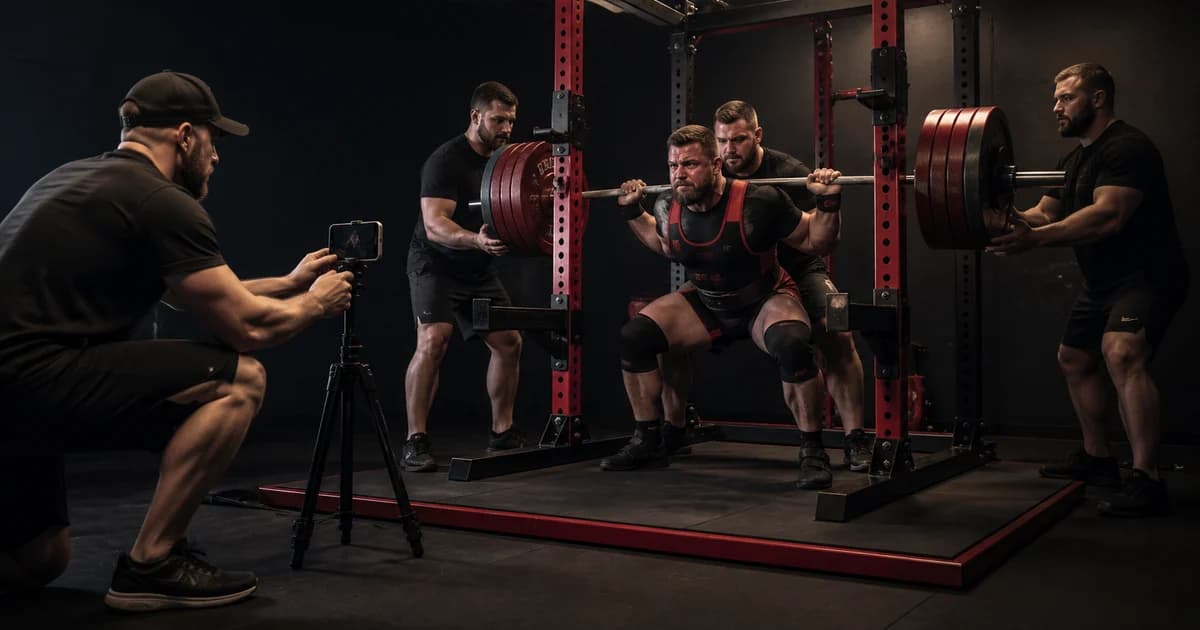
A meet video review should answer two different questions: did the lift meet the federation standard, and what movement detail should you train next? Powerlifting AI: Gym Coach gives you a sport-specific way to keep the review attached to your lift clip. Start with one camera angle, one lift, and the rulebook for your federation.
The three-lift review checklist
The IPF technical rules define the commands and judging standards that matter on the platform. Rules vary by federation, so use the rulebook for the meet you will enter. Then use the checklist below for training feedback.
Squat
Check the start and rack commands first. On the descent, freeze the frame where the hip crease passes the top of the knee. The video can show whether your depth repeats, but it cannot replace the referee's view or your federation's exact standard. Check whether your feet stay planted, your knees track consistently, and your chest position changes before the ascent. On the way up, mark the first frame where the hips rise faster than the shoulders. That is often the useful training observation.
Bench press
Mark the start command, the bar's touch point, the pause, the press command, and the rack. Review whether your head, shoulders, and glutes stay in the required contact positions. Look at the bar path from the touch to the lockout. A missed rep may begin with a loose upper back or an inconsistent touch rather than with weak triceps. Separate a command mistake from a strength or technique issue.
Deadlift
Check the start, the bar's vertical path, and the final lockout. Mark whether the knees and hips finish together, whether the shoulders come back, and whether you wait for the down command. A hitch, downward movement, or incomplete lockout has a different cause from a bar that simply slows near the knee. Use the clip to identify the earliest visible change.
Film and annotate the attempt
Put the camera where the entire bar, plates, feet, and relevant contact points remain visible. For a meet-style review, capture a side angle for the squat and deadlift and a side or diagonal angle that clearly shows bench contact points. Keep the camera still and record the load, attempt number, commands, and result. Review at normal speed first, then in slow motion. Do not judge a hidden joint or command from a blocked frame.
Write one finding for each lift you review. “Depth was inconsistent” is a starting observation. “My third squat lost depth after my knees shifted inward” gives you a training decision. When the clip cannot answer a question, record that limitation instead of inventing certainty.
Use the review before your next meet session
Choose the earliest repeatable issue, not the most dramatic frame. Compare two attempts at the same load when possible. Keep federation standards and coaching judgment in the loop, especially when a call depends on a referee command or an angle the camera cannot show.
Review the next attempt with Powerlifting AI: Gym Coach
After you film your next squat, bench press, or deadlift, open Powerlifting AI: Gym Coach and review the same phase you annotated. Then use the powerlifting video analysis guide to turn one visible issue into one drill or cue for your next supervised session.
Make the meet review decision explicit
A useful review separates three decisions: whether the attempt matched the meet standard, what the camera can actually show, and what you will train next. Start with the IPF technical rules when your meet follows IPF standards, then check the exact rulebook for your federation and event. A video can help you prepare for commands and positions, but a clip from one angle cannot replace the referee's call.
Use a lift-specific camera example
For a squat, place the camera at a side diagonal that keeps the bar, plates, feet, and hip and knee relationship visible. For a bench press, use a side or slight diagonal view that keeps the head, shoulders, glutes, feet, bar touch, pause, and lockout in frame. For a deadlift, use a side view that shows the bar path, knees, hips, shoulders, and final lockout. Keep the camera still, record the attempt number and commands, and avoid a frame where a rack, plate, or person blocks the detail you need.
Separate a call from a training choice
If the squat depth is hidden, write “camera cannot confirm depth” instead of calling the lift good or bad. If the bench video shows a touch but not the pause, record that limit and ask the coach to review the full context. If the deadlift shows a bar slowdown near the knee, note the first visible change and then check whether the knees and hips finish together. A referee decides validity under the meet rules. You choose the next training question from the movement detail you can repeat.
Close the loop before the next session
Choose one correction for each lift, not a list of every frame. Compare two attempts at the same load when possible. Save the attempt number, command sequence, camera angle, and one observation in your log. Then open Powerlifting AI: Gym Coach and connect the clip to the next supervised drill or cue. Keep the IPF context and your coach's judgment beside the video, especially when a command or judging angle is outside the frame.
Final answer
Use the federation rulebook to judge meet validity, use a fixed camera to study movement, and choose one repeatable correction per lift. Powerlifting AI: Gym Coach can keep the video review connected to the attempt you actually recorded.
Try these free tools
Train Powerlifting with AI
Get Powerlifting AI on Android. It reviews your technique, helps plan your training and tracks your nutrition.